
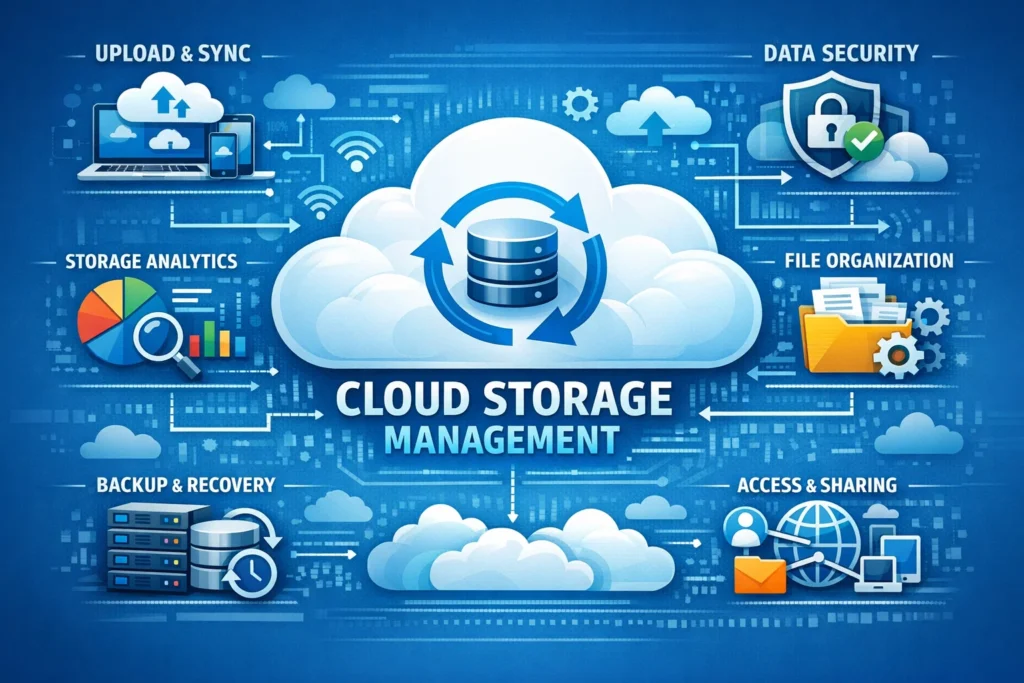
Finding the best cloud storage software can significantly enhance how you manage your data. Using a secure and reliable server not only frees up space on your device but also protects your files from potential risks like system crashes and hardware failures. Here’s a look at the top cloud storage options available, including recommendations for different user needs.
Top Recommendation: IDrive
IDrive consistently ranks at the top of cloud storage lists due to its impressive combination of user-friendly desktop and mobile applications, robust backup features, stringent security measures, and great value for money. Whether you’re an individual or a business, IDrive caters to various storage needs, offering plans ranging from 10TB for personal use up to 100TB for businesses.
One noteworthy feature is its sync support, which ensures your files are consistently updated across devices. IDrive also provides comprehensive backup options, enabling you to safeguard everything from individual files and smaller folders to full-scale SQL, Exchange, SharePoint, and other server configurations.
Innovative File Sharing: pCloud
Switzerland-based pCloud stands out with its advanced capabilities for file sharing. While many cloud storage services offer basic functions, pCloud allows users to create tailored download pages complete with custom messages. You can even design slideshows for shared images and stream audio or video files directly from your storage.
The versatility and robustness of pCloud’s features make it an exceptional choice for anyone needing functional file sharing capabilities.
Microsoft OneDrive: Seamless Integration
Microsoft OneDrive may not boast all the trending features found in some of its competitors, but its value lies in its integration with Windows and Microsoft365. For users committed to the Microsoft ecosystem, OneDrive proves to be a commendable choice. It seamlessly operates within Windows10 and11, negating the need for any installation. The service integrates directly into File Explorer, simplifying the process of dragging and dropping files for syncing.
This ease of access is a significant advantage, especially for those already using Microsoft products in their daily routines.

User-Friendly: Google Drive
When it comes to intuitive design, Google Drive is a strong contender. It offers a user-friendly experience across platforms, with applications for both Android and iOS that closely match its browser interface. The experience is seamless, making it easy to switch between devices without awkwardness.
Although earlier versions of its desktop applications were less impressive, recent updates have enhanced functionality. Its 15GB free tier provides newcomers ample space to explore, while the application’s compatibility with other Google Workspace tools strengthens its appeal among dedicated Google users.
Syncing Focus: Sync.com
Dedicated users who prioritize file synchronization will find Sync.com a strong match. While it may not boast a plethora of flashy features, its specialization in syncing is commendable. Sync.com also offers sophisticated functionality, including the ability to create read-only versions of files, set download limits, generate expiring links, and secure files with password protection.
Moreover, Sync.com’s versioning system allows for file restoration from the last 180 days, a considerably generous offering compared to many providers’ typical 30-day limit. Its free plan kicks off with 10GB of storage, with opportunities for users to increase that by participating in familiar activities like installing the app or inviting friends.
Power Backup: Backblaze
Backblaze is noted for its powerful cloud backup service, offering unlimited storage without imposing file size limits, all at a competitive price. Upon installation, the Backblaze desktop app quickly scans your system for important files and automatically uploads them. Users do have the option to manage their uploads manually, but many find it more straightforward to allow Backblaze to handle the process.
Initial data transfer may take a while, but impressive upload speeds minimize delays. Additionally, if you require fast access to your data, Backblaze offers a unique feature where it can ship up to 8TB of your data directly to your door on a USB drive.
Security-Focused: Internxt
If security is your top concern, look no further than Internxt. This service emphasizes a security-first approach, backed by multiple features designed to protect your data. The pricing is competitive, starting from just €4.99 per month for 200GB of storage, making it a viable alternative for users seeking to distance themselves from larger tech options like Google Drive.
Groundbreaking File Management: IceDrive
A relatively new entrant, IceDrive from the UK has made waves with its groundbreaking file management features. Windows users in particular will appreciate the ability to navigate their storage directly from File Explorer, allowing for efficient file management similar to working with a local drive. Additionally, after installing the app on Windows, Mac, or Linux, users can preview documents and stream media files without the need for downloading, making it a user-friendly option.
Privacy with NordLocker
When it comes to privacy, NordLocker is tough to beat. Developed by the creators of NordVPN, a leading VPN provider, NordLocker excels in delivering top-notch security coupled with a smooth user experience. The service is built on a foundation of advanced encryption, ensuring that your data is kept secure from unauthorized access.
Upload speeds are reasonable, and the inclusion of multi-factor authentication adds another layer of protection against potential threats. For those who prioritize privacy and want a service built on trustworthy technology, NordLocker stands out as an excellent cloud storage option.
Conclusion
Choosing the right cloud storage solution ultimately depends on your specific needs, whether it’s robust file sharing, seamless integration, or top-notch security. Popular options like IDrive, pCloud, and Google Drive offer various features appealing to a wide range of users.
As you consider your options, keep in mind any particular requirements you may have—be it budget constraints, extensive file sharing capabilities, or an emphasis on security. The insights provided should help guide you through the selection process, ultimately leading you to the best cloud storage solution tailored to your unique needs.